Server-Sent Events
A wrapper over EventSource with exponential reconnect, opt-in heartbeat, and JSON parsing. Original use case: the notifications stream (NEW-ALO, PAYMENT-SUCCESS, etc.) from alofans-frontend.
SSE vs WebSocket — which one?
SSE is one-way (server → client), runs over plain HTTP, reconnects on its own, and authenticates via cookies with no ceremony. If the client does not need to send messages, SSE is simpler and cheaper. For bidirectional traffic (chat, collaboration), use WebSocket.
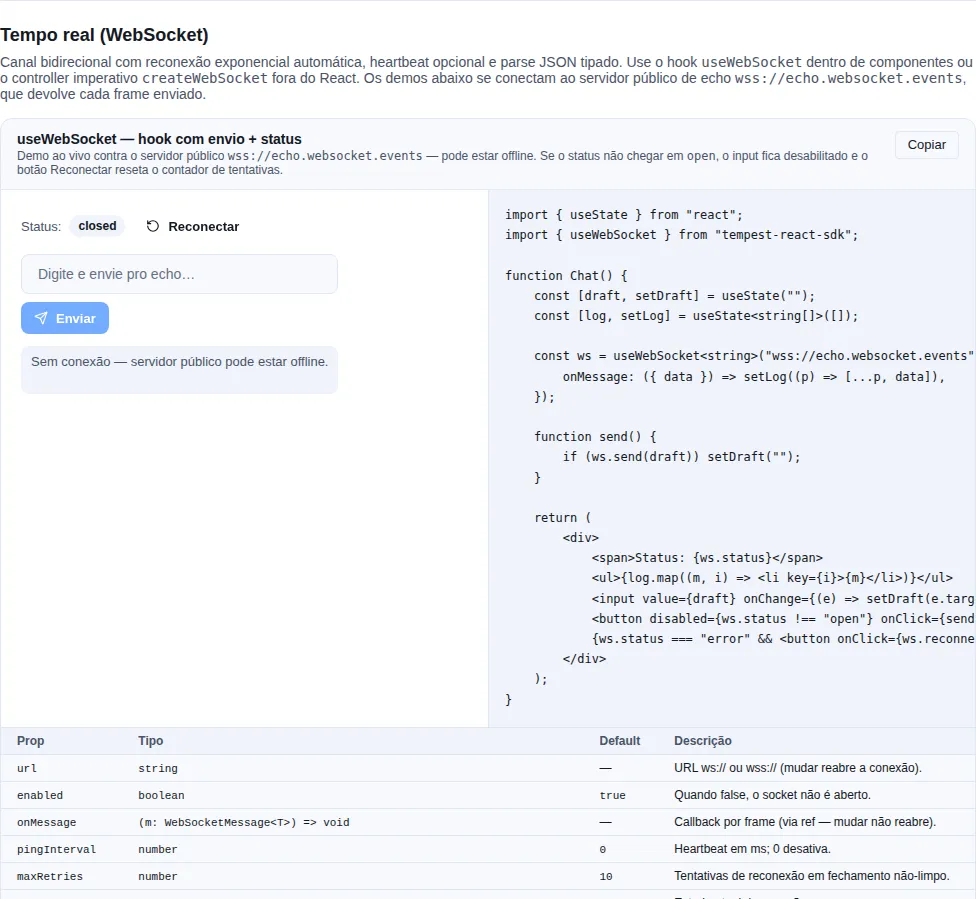
Section recipe-realtime of the gallery — run it locally to interact.
When to use
- One-way server → client push, with no need for the client to send.
- Cheap automatic reconnection.
- Cookie-based authentication (
withCredentials: true).
Imperative API — createEventStream
Use it outside React (services, bootstrap) when you manage the lifecycle yourself:
import { createEventStream } from "tempest-react-sdk";

interface StreamEvent {
  type: "NOTIFY" | "PAYMENT-SUCCESS";
  message: string;
}

const stream = createEventStream<StreamEvent>(
  `${import.meta.env.VITE_API_URL}/notifications/stream`,
  {
    withCredentials: true,
    namedEvents: ["notification", "payment"],
    heartbeatEvents: ["ping"],
    maxRetries: 10,
    onOpen: () => console.log("SSE open"),
    onMessage: ({ event, data, id }) => {
      if (event === "payment") handlePayment(data);
      else addNotification(data);
    },
    onStatusChange: (status) => console.log("SSE", status),
    onError: (err) => console.error(err),
  },
);

// Later, on unmount / logout:
stream.close();

// Force an immediate reconnect (resets the retry counter):
stream.reconnect();

// Read the current status:
console.log(stream.status);
Each onMessage receives { event, data, id, raw }: event is the SSE event name (default "message"), data is already JSON-parsed (with raw-string fallback), id is the server's lastEventId, and raw is the original MessageEvent.
Reconnection and heartbeat
Backoff: 1s → 2s → 4s → 8s → ... (capped at 30s), up to maxRetries (default 10)
- On every error the stream closes, schedules a reconnect with exponential backoff, and emits status
"closed". On a successful reopen the counter resets. - Once
maxRetriesis exhausted, the status becomes"error"and the stream stops trying. - Events listed in
heartbeatEvents(default["ping"]) do not fireonMessage— they only keep the socket alive.
Match heartbeatEvents to your backend
If the server sends keep-alives under a different event name (e.g. "keepalive"), list it in heartbeatEvents so it doesn't pollute onMessage with pings.
Hook — useEventStream
Inside components, the hook ties the stream's lifecycle to the component — opens on mount, closes on unmount:
import { useEventStream } from "tempest-react-sdk";

interface Notification {
  id: string;
  message: string;
}

export function NotificationListener({ user }: { user: { id: string } | null }) {
  const { status, lastMessage, reconnect } = useEventStream<Notification>(
    `${import.meta.env.VITE_API_URL}/notifications/stream`,
    {
      enabled: !!user, // only connects once the user exists
      withCredentials: true,
      onMessage: ({ data }) => addToInbox(data),
    },
  );

  return (
    <div>
      <span>Stream: {status}</span>
      {status === "error" && <button onClick={reconnect}>Reconnect</button>}
      {lastMessage && <p>Latest: {lastMessage.data.message}</p>}
    </div>
  );
}
enabled: falsedisconnects the stream (use it while waiting foruserto load).- Changing the URL re-opens the connection; changing
onMessagedoes not (callback held in an internal ref — no pointless reconnects). lastMessageholds the last received message (heartbeats don't count).- Automatic cleanup on unmount.
error means it exhausted its attempts
When the status reaches "error", the stream gave up on its own. Offer a button calling reconnect() (which resets the counter) instead of waiting for an automatic reconnect that won't come.
A frame that is not JSON
Both transports JSON.parse the frame by default. When that fails — the server
returned an error page, a plain-text ping arrived, a proxy injected something —
the SDK delivers the raw string announced as your type. That is the historical
behaviour and it stays, because changing it would break whoever relies on it; what
changed is that it stopped being silent.
import { createEventStream } from "tempest-react-sdk";

interface Event {
    id: string;
    kind: string;
}

const socket = createEventStream<Event>("https://api.example.com/events", {
    onParseError: (error, raw) => {
        console.error("unreadable frame, dropped:", raw.slice(0, 120), error);
    },
    onMessage: ({ data }) => {
        console.log(data.id);
    },
});
With onParseError registered, the broken frame does not reach onMessage — a
caller who asked to hear about failures did not ask to also receive the frame.
Without it, the frame is delivered as before and a development build warns once
per transport in the console.
Why the old default is a trap
data typed as Event while actually being a string does not blow up at the
parse — it blows up at the first data.id, far away, with nothing pointing at
the frame that caused it. The warning and onParseError exist so the error
shows up where it happens.
parser still wins
Passing parser switches all of this off: its result is delivered, because
decoding text, base64 binary or a protocol of your own is exactly what the
option is for. onParseError only applies when there is no parser. The one
thing that still looks at what parser returned is
schema, when you pass both.
Validating the frame with schema
The type argument (createEventStream<Event>) is a promise about the server
that TypeScript cannot keep: it is erased at runtime. A frame missing its
message field reaches onMessage announced as Event, with
message: undefined, and the app writes that to IndexedDB and renders an empty
notification — with no error anywhere along the way.
Pass schema and validating stops being the app's job:
import { useEventStream } from "tempest-react-sdk";
import { z } from "zod";

const notificationSchema = z.object({
    id: z.string(),
    message: z.string(),
});

type Notification = z.infer<typeof notificationSchema>;

export function Notifications() {
    const { status } = useEventStream<Notification>("https://api.example.com/notifications/stream", {
        namedEvents: ["notification"],
        schema: notificationSchema,
        onValidationError: (issues, raw) => {
            console.warn("frame off contract, dropped:", issues, raw.slice(0, 120));
        },
        onMessage: ({ data }) => {
            console.log(data.message);
        },
    });

    return <p>Stream: {status}</p>;
}
What the option guarantees:
- without
schema, nothing changes — today's path stays exactly as it is, fallback and warning included; - a frame that does not match is not delivered, the same rule
onParseErroralready follows, andonValidationErrorreceives theissues(dottedpath+message) plus the raw text; - the delivered value is the schema's output, so
z.coerce,.default()and.transform()all count; parserdecodes first, andschemavalidates what it returned;- an empty frame is an invalid frame:
JSON.parse("")throws, and withschemathe raw text goes to the schema, which refuses it — instead of arriving as an empty string announced as your type.
zod, valibot, arktype — and the SDK depends on none of them
schema accepts anything exposing Standard Schema
(~standard, which zod >= 3.24, valibot and arktype all implement) or
.safeParse — the signature every zod user already knows, and the one that
covers zod 3.23, which predates ~standard. None of those libraries becomes
a dependency: validation is called through the interface.
Validation must be synchronous
The frame is decoded inside the message handler and delivered from it, so
there is nowhere to await: an async schema would deliver frames in whatever
order their validations settled. That case is reported through
onValidationError rather than awaited. Use z.object(...), not
.refine(async ...).
Declare the schema outside the component
schema is read when the stream opens. A schema built inline is a new object
on every render — declare it at module level (or memoize it), and the one in
force is whichever existed at the last open.
A signal that exists in production, not only in dev
The one-time warning is dev-only (it goes through isDevBuild(), which answers
correctly on its own under Vite, webpack, Rspack and Parcel — measured) and it
lives in the console of whoever has DevTools open. onValidationError is the
app's own: it fires in every build, and it is where a "the backend changed
the contract" metric comes from — the one that reaches your logger in
production, where nobody is watching a console.
Status
"idle" | "connecting" | "open" | "closed" | "error":
idle— not connected yet (orenabled: false).connecting— handshake in progress.open— connected and receiving.closed— closed, possibly waiting to reconnect.error— exhaustedmaxRetries, no longer trying.
Recap
createEventStream(url, options)opens an SSE with exponential reconnect; the controller exposesclose,reconnect, andstatus.useEventStream(url, options)is the React wrapper: ties the lifecycle to the component, exposesstatus/lastMessage/reconnect, and respectsenabled.- Heartbeats (default
["ping"]) keep the socket alive without firingonMessage. schemavalidates each frame before delivering it: what does not match never reachesonMessage, andonValidationErrorsays why.- Status
"error"= attempts exhausted; offer the user areconnect().