Auth
Front-end authentication is always the same handful of problems: where to keep the session, how to protect a route, how to read what's inside the token, and what to do when it expires mid-deploy. The auth module of tempest-react-sdk solves each one with a small, independent piece — you take only what you need, without inheriting a whole auth framework.
Five pieces, all decoupled from one another:
createAuthStore— builds a Zustand store typed by the app'sTUser.AuthGuard— router-agnostic route gate.decodeJWT/isJWTExpired— defensive JWT reading (no cryptographic validation).lazyWithRetry—React.lazywith chunk retry + reload on final failure.createRefreshQueue— coalesces concurrent refresh calls.
Why loose pieces instead of one monolithic <AuthProvider>
Every Tempest app has a different user model, a different login flow, and a different backend. A monolithic provider would force everyone into a single shape. Five primitives compose freely: you can use the store without the guard, the guard without the JWT decoder, and so on.
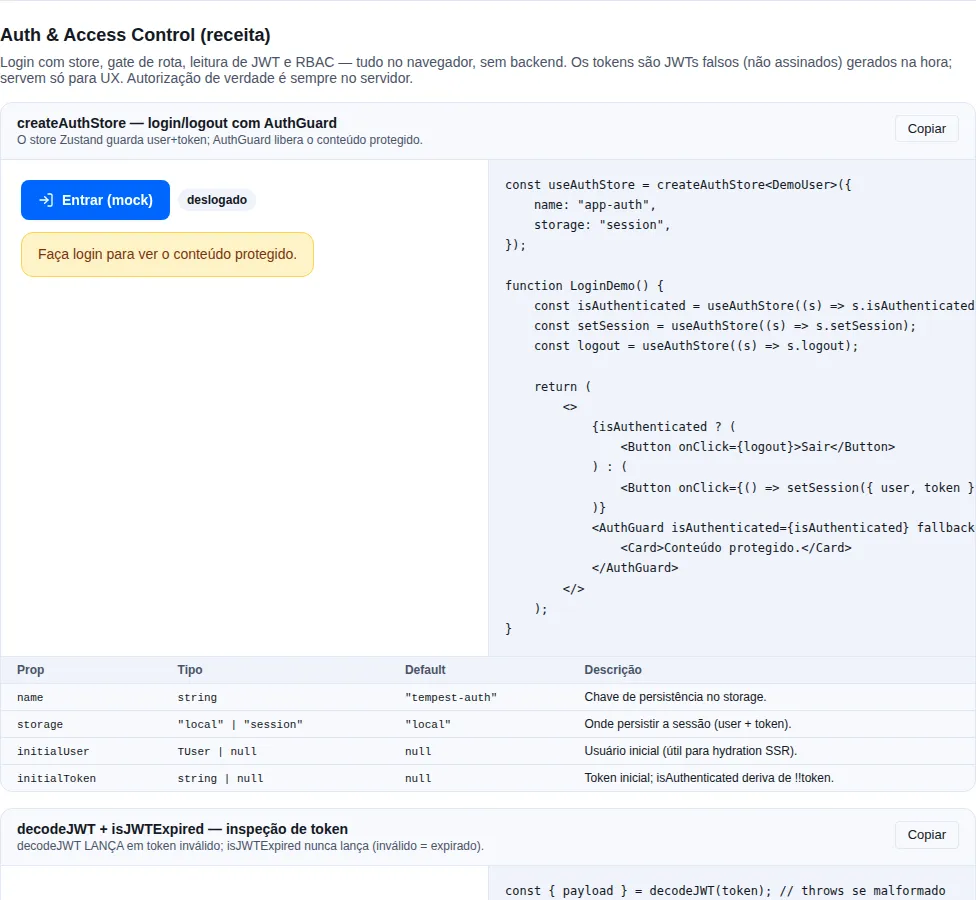
Section recipe-auth of the gallery — run it locally to interact.
Store — createAuthStore<TUser>
The SDK does not own your user model. You pass the TUser and get a typed Zustand store, already wired with persist.
import { createAuthStore } from "tempest-react-sdk";

type SessionUser = { id: string; name: string; is_admin: boolean };

export const useAuthStore = createAuthStore<SessionUser>({
  name: "tempest-app-auth",
  storage: "local",
});

// inside a component: read state (re-renders on change)
function Header() {
  const { user, isAuthenticated, logout } = useAuthStore();
  return isAuthenticated ? <button onClick={logout}>Sign out {user?.name}</button> : null;
}

// outside React: write through getState()
useAuthStore.getState().setSession({
  user: { id: "u1", name: "Ana", is_admin: false },
  token: "eyJhbGciOi…",
});
useAuthStore.getState().logout();
Persists to localStorage (default) or sessionStorage (storage: "session"). Only user and token are persisted (partialize); after hydration, isAuthenticated is re-derived from !!token in onRehydrateStorage.
Extra options: initialUser, initialToken (useful for SSR hydration).
Select only what you need
const isAuth = useAuthStore((s) => s.isAuthenticated) re-renders only when
isAuthenticated changes. Destructuring the whole store
(const { ... } = useAuthStore()) subscribes to every slice and
re-renders on any change — prefer the selector in hot components.
Guard — AuthGuard
Router-agnostic: it's a pure if/else. You decide what to render in each branch — typically <Outlet /> when authenticated and <Navigate /> for the redirect.
import { Navigate, Outlet } from "react-router";
import { AuthGuard } from "tempest-react-sdk";

export function ProtectedLayout() {
  const isAuthenticated = useAuthStore((s) => s.isAuthenticated);
  return (
    <AuthGuard isAuthenticated={isAuthenticated} fallback={<Navigate to="/login" replace />}>
      <Outlet />
    </AuthGuard>
  );
}
AuthGuard takes isAuthenticated, children, and fallback — no opinion about the router. Compose with custom role guards by nesting a second guard inside children.
Relationship with the routing module's <RouteGuard>
If you use the SDK's routing module, the declarative
<RouteGuard> already covers the common case
(when + redirectTo) right in the route tree. Use AuthGuard when you
need imperative control over what renders in each branch, or when you're not
using <AppRouter>.
JWT — decodeJWT / isJWTExpired
A payload-only decoder — it does not validate the signature. Use it on the client for inspection/UX (show a name, hide an admin button, decide when to refresh). Real authorization always happens on the backend.
import { decodeJWT, isJWTExpired } from "tempest-react-sdk";

// decodeJWT THROWS when the token is malformed — wrap it in try/catch
try {
  const { header, payload, signature } = decodeJWT(token);
  console.log(payload.sub, payload.exp);
} catch {
  // token without 3 segments, or non-JSON header/payload
}

// isJWTExpired never throws — an invalid token counts as expired
const expired = isJWTExpired(token, 30); // 30s leeway → treated as expired 30s early
decodeJWT throws; it does not return null
On a malformed token, decodeJWT throws an Error — always wrap it in
try/catch. isJWTExpired, on the other hand, is defensive: any decode
error is treated as "expired" (true), so it's safe to call directly. The
signature is isJWTExpired(token, leewaySeconds = 0).
Never authorize on the client
A JWT payload is base64 — anyone can read and forge it. Use decodeJWT for
UX only. Every real permission decision happens on the server, which
validates the signature.
Code-splitting — lazyWithRetry
React.lazy with chunk retry + a window.location.reload() fallback on final failure.
Why it exists: after a deploy, users with an open tab try to load chunks that have already been deleted (404). The retry with backoff usually picks up the new version; the reload resolves the case where the cached index.html is also stale.
import { Suspense } from "react";
import { lazyWithRetry } from "tempest-react-sdk";
import { Spinner } from "tempest-react-sdk";

const Settings = lazyWithRetry(() => import("./Settings"), {
  retries: 3, // default
  initialDelay: 400, // default — exponential backoff: 400, 800, 1600ms
  reloadOnFinalFailure: true, // default
});

export function SettingsRoute() {
  return (
    <Suspense fallback={<Spinner />}>
      <Settings />
    </Suspense>
  );
}
Pages that take props
The component does not lose its typing on the way through the wrapper. Its type is inferred from the module the factory resolves to, so a page with a required prop, one with an optional prop and one with no props at all all pass through — and the rendered element is still checked against the real props.
import { Suspense } from "react";
import { lazyWithRetry } from "tempest-react-sdk";
import { Spinner } from "tempest-react-sdk";

interface EditorProps {
  mode: "edit" | "view";
}

function Editor({ mode }: EditorProps) {
  return <p>mode: {mode}</p>;
}

const LazyEditor = lazyWithRetry(() => Promise.resolve({ default: Editor }));

export function EditorRoute() {
  return (
    <Suspense fallback={<Spinner />}>
      <LazyEditor mode="edit" />
    </Suspense>
  );
}
Prop checking still applies
Swapping mode="edit" for mode="bogus", dropping the required prop or
passing a prop that does not exist are all compile errors, exactly as on the
component itself. The wrapper relaxes only the generic constraint —
which used to demand a component with no props — never the inference.
Same for a route's lazy
A TempestRouteObject's lazy field accepts the same set of components, so
a route tree of typed pages goes through defineRoutes without a cast. See
Routing.
Warming the chunk — preload()
The returned component carries a preload(). Call it when the route becomes likely, not when it is needed — hovering the link, opening the menu that holds it, finishing the step before it — and the chunk arrives before the user commits. The Suspense fallback simply never shows.
<a href="/settings" onMouseEnter={() => void Settings.preload()}>
  Settings
</a>
The work is shared with the render path: whichever fires first performs the single fetch and the other awaits the same promise. Calling it repeatedly is safe.
Warming several routes at once
preload() returns the promise, so you can await a set of them:
await Promise.all([Settings.preload(), Profile.preload()]);
Or fire and forget — the rejection is already handled internally, so a speculative preload nobody awaits never becomes an unhandledrejection.
Refresh queue — createRefreshQueue
Coalesces N concurrent refresh calls into 1 request. While one refresh is in flight, every extra call gets the same promise; when it resolves, they all resume together.
import { createRefreshQueue } from "tempest-react-sdk";

const refresh = createRefreshQueue(
  async () => {
    const { token } = await api.post<{ token: string }>("/auth/refresh");
    useAuthStore.getState().setToken(token);
  },
  { getToken: () => useAuthStore.getState().token },
);

// 5 simultaneous 401 requests → 1 single refresh, all resume:
await Promise.all([refresh(), refresh(), refresh(), refresh(), refresh()]);
Sharing the promise alone does not collapse a burst — pass getToken
A page that fires several requests at once gets several 401s back, but they do not land inside one window: the stragglers resolve after the first refresh already finished, find no promise to join, and each starts another one — rotating a token that is already fresh. Measured against a mock backend, five concurrent expired requests took two refreshes, not one.
getToken closes that gap. Wired as createApiClient's refresh, the queue is told, for each 401, which token that request was sent with: when it is no longer the current token, the rotation it was about to trigger already happened, so the call returns at once and the replay goes out with the new token. The same five requests then take exactly one refresh, and so do twenty.
Called by hand, without that context, the queue falls back to the old mode: it remembers the token its last refresh installed and skips while that token is in place. That mode cannot tell "already refreshed" from "the refreshed token has expired" — both leave the same string in the store. Before 0.77.0 the client did not pass the context, and every token a refresh issued became unrefreshable once it expired: the 401 skipped the refresh, the replay failed, and onUnauthorized ended a healthy session.
Plug it straight into createApiClient
Pass the queue as refresh on the HTTP client — it calls it on every 401 and the coalescing happens for free, avoiding a storm of parallel refreshes hammering your auth endpoint.
Use it together with createApiClient:
const refresh = createRefreshQueue(async () => {
  await AuthService.refresh();
});

const api = createApiClient({
  baseURL: "...",
  refresh, // called on 401 — coalesces concurrent calls
  onUnauthorized: () => useAuthStore.getState().logout(),
});
Ending the session — createTempestAuth and onSessionEnd
A session ends in three ways: the user clicks Sign out (auth.logout()); the client gives up on it — the refresh failed, or the replay after the refresh came back 401 again; or another account signs in on top of it (auth.login() with other credentials). In every case, every piece of state derived from the user has to go with it: this browser's push subscription, the persisted query cache, the background-sync queue, the user identified in telemetry. Otherwise the next account to sign in on this browser inherits what belonged to the previous one.
createTempestAuth has one place for that, and it runs on all three paths: onSessionEnd.
import { WebPushClient, WebPushUnsubscribeError, createTempestAuth } from "tempest-react-sdk";

interface User {
  id: string;
  name: string;
}

const ORPHANED_PUSH_KEY = "push-orphaned-subscriptions";

export const auth = createTempestAuth<User>({
  baseURL: "https://api.example.com",
  onSessionEnd: async (session) => {
    const push = new WebPushClient({
      vapidPublicKey: "BEl62iUYgUivxIkv69yViEuiBIa-Ib9-SkvMeAtA3LFgDzkrxZJjSgSnfckjBJuBkr3qBUYIHBQFLXYp5Nksh8U",
      onSubscribe: () => {},
      onUnsubscribe: (sub) =>
        session.api.delete("/webpush/subscribe", { body: { endpoint: sub.endpoint } }),
    });
    try {
      await push.unsubscribe();
    } catch (error) {
      if (!(error instanceof WebPushUnsubscribeError)) return;
      const pending: PushSubscriptionJSON[] = JSON.parse(
        localStorage.getItem(ORPHANED_PUSH_KEY) ?? "[]",
      );
      localStorage.setItem(ORPHANED_PUSH_KEY, JSON.stringify([...pending, error.subscription]));
    }
  },
});

await auth.logout();
Note session.api: by the time the hook runs, the store has already been cleared, so auth.api no longer sends any token. session.api is a client that still sends the ended session's access token — that is how the DELETE goes out authenticated. It never refreshes and never ends a session: a 401 there just rejects.
And the push unsubscribe() releases the browser subscription even when the DELETE fails (see Push → Unsubscribing). That is what closes the automatic path: when the session expires, the server already refuses the token, the DELETE comes back 401 — and the browser stops receiving the previous account's notifications all the same. WebPushUnsubscribeError carries the subscription with its endpoint: the example keeps it to resend the DELETE once there is a session again, instead of waiting for the next send's 404/410.
Inside the hook, use only session.api — never auth.login()
When the hook runs the store is already empty: auth.api goes out with no token, and its 401 ends nothing (the automatic end and a logout() with no session do not wait on the hook in progress, precisely so a call from inside it does not wait on itself). auth.login(), though, always waits on the teardown in progress — that is what keeps the new account from starting while the previous one is still being cleared — so called from inside the hook it waits on the hook itself and never settles. The SDK cannot tell the hook from an outside caller (the browser has no async context), so this is a documented rule, not a runtime check. session.api is the client made for the hook.
Clear every per-user state here
The hook is the single teardown point: the push above, and next to it any other state that belongs to the account — the persisted query cache, the service worker's background-sync queue, the authenticated response caches, the telemetry user, the resumable-upload records. Compose them all inside the same onSessionEnd, each independent step with its own .catch, so one failure does not skip the others.
The resumable-upload records keep the signed-out account's upload URL and Idempotency-Key, and only go away when the upload completes or on abort({ discard: true }). Clear them with createLocalUploadStorage().clear() (it removes everything under the tempest-upload: prefix) and pass getPrincipal to createResumableUpload — details in Resumable upload → One record per user:
import { createLocalUploadStorage, createTempestAuth } from "tempest-react-sdk";

export const auth = createTempestAuth({
  baseURL: "https://api.example.com",
  onSessionEnd: () => {
    createLocalUploadStorage().clear();
  },
});
The order, exactly
On all three paths — logout(), the automatic end and the account switch — the sequence is the same:
| Step | What happens | Synchronous? |
|---|---|---|
| 1 | Any refresh in flight is superseded: it can no longer reinstall the ending session's tokens | yes |
| 2 | The store and the stored refresh token are cleared — isAuthenticated is already false |
yes |
| 3 | onSessionEnd runs with { reason, user, token, api } |
may be async |
| 4 | On the automatic end with redirectTo, the browser navigates; on an account switch, the new session is installed — both after the hook, even if it threw |
— |
reason is "logout" for an explicit logout(), "expired" when the client ended it and "switch" when a login() replaced the session. On "logout" and "switch" the token is usually still valid; on "expired" the server has already refused it, so treat the authenticated call as best-effort and keep the local half of the teardown independent of it.
logout() returns Promise<void>: the store is cleared before the first await, so callers that ignore the promise see the signed-out state at once. The promise resolves when the hook finished and rejects with its error — and an un-awaited logout() whose hook throws becomes an unhandledrejection instead of losing the error. On the automatic path the hook's error is swallowed — the request that ended the session already rejects with its own 401.
The hook runs once per session: a second logout(), or the other requests of a burst of 401s, find no session left to end. Only the call that ended the session navigates to redirectTo.
Switching accounts — reason: "switch"
auth.login() with another account while a session is live ends the previous one through the same path, without you having to call logout() first:
- the new credentials go to the backend — nothing changes yet. If the login fails, the previous account stays signed in, with its in-flight refresh intact;
- once the credentials are accepted, the epoch moves and the store is cleared (steps 1 and 2 of the table);
onSessionEndruns withreason: "switch", the previous account'suserandtoken, and asession.apithat still sends its token;- only then are the new account's tokens installed, and
login()resolves with the new user.
Why the hook runs before the new account is installed: the previous account's teardown — clearing the persisted cache, the background-sync queue — has to finish before the new account's requests start filling them; in the reverse order it would wipe (or race with) the new account's data. The cost is a window in which isAuthenticated is false while the hook runs — a route guard may react to it, so keep the hook short. A hook error here is swallowed: the login itself succeeded.
A logout() whose teardown is still running is awaited the same way: logout() followed by login() without await does not install the new account before the previous one's hook finished — the hook clearing account A's state never runs alongside account B.
A login() whose session moved while its request was in flight — a logout() in between, for example — rejects with SessionSupersededError and installs nothing. The same holds for the mePath GET that login() sends after installing the token: a profile that arrives after a logout() (or after logout() + another account's login()) is discarded, instead of landing in the store next to the next account's token.
Refresh in flight and account switching — SessionSupersededError
A refresh is a network round trip, and the session can end in the middle of it. Every refresh is bound to a session epoch, which logout() and a login() whose credentials were accepted increment. A refresh that resolves after its epoch ended discards what it brought back and rejects with SessionSupersededError — and the client passes that error through without calling onUnauthorized, because the current session (maybe another account that just signed in) did nothing wrong. A request sent during an ended session that comes back 401 is refused the same way — the replay after a refresh included — instead of being replayed as whoever is signed in now or ending their session. And a request sent without a token that comes back 401 after an account signed in just rejects with the 401: it neither refreshes nor ends the new session.
Before 0.77.0, a refresh in flight during logout() reinstalled the old tokens and flipped isAuthenticated back to true; with logout() + login(B) in between, it replaced B's token with A's — the screen showed B, and every request went out as A.
Treat the error like an aborted request: drop the result and show nothing.
import { SessionSupersededError, createTempestAuth } from "tempest-react-sdk";

const auth = createTempestAuth({ baseURL: "https://api.example.com" });

export async function loadOrders(): Promise<unknown[] | null> {
  try {
    return await auth.api.get<unknown[]>("/api/orders");
  } catch (error) {
    if (error instanceof SessionSupersededError) return null;
    throw error;
  }
}
Refreshes also collapse per rotation, not just per overlap in time: a 401 whose request left with a token the same session has since replaced replays with the new token and refreshes nothing. Three expired requests take one refresh, whether their 401s arrive together or one after another.
Cookie refresh and server-side logout — logoutPath
With withCredentials: true, the refresh token lives in an HttpOnly cookie, and logout() cannot reach it: it clears the store and the stored refresh token, while the cookie stays in the browser, redeemable until the backend revokes it. Two pieces close this.
The first is the preset's own and has no option: a 401 from a request that left without a token, while no session is installed (no access token and no stored refresh token), just rejects with the 401 — it does not start a refresh. Before, that 401 arrived after logout(), the refresh went out with A's cookie, and the next person on the browser acted as A (#474).
With a login() in flight, that 401 waits for the login to settle, still without a refresh: if the login installed a token, the request replays with it; if it failed, the request rejects with the 401 and the client stays signed out. Up to 0.77.0, the login in flight counted as "a session is coming" and the 401 started a refresh — which went out with whatever cookie the browser held, the departed account's. A failed login as B left the client signed in as A; a successful one could have its cookie overwritten by that refresh's late Set-Cookie, and the next refresh installed A's token while the store showed B (#496).
Restoring the session from the cookie when the app reloads still works: call auth.refresh() at boot, explicitly. That is the legitimate path — the app decides to restore — rather than a side effect of any anonymous request. A tokenless request that comes back 401 while that boot refresh is in flight joins it and replays with the restored token; and a 401 with no session at all ends nothing — it does not run onSessionEnd, does not navigate to redirectTo and does not supersede the boot refresh.
Migration: cookie-mode apps that restored the session through an anonymous request
Up to 0.77.0, with withCredentials: true and an empty store — storage: "session" in a new tab, cleared storage, or the first load after a logout —, the app's first request came back 401, the preset refreshed through the cookie, and the session "came back on its own". That is gone: it is exactly the path that signed the departed account back in. Call auth.refresh() at boot, before rendering the protected area, and treat a rejection as "signed out". With the store persisted in localStorage (the default) and an access token stored, nothing changes.
The second piece is revoking on the server: pass logoutPath, and an explicit logout() sends a POST to that route with the ended session's credentials — its access token, and the body refreshBody builds from the stored refresh token ({ refresh_token } in body mode; no body in cookie mode, where the cookie goes along).
import { createTempestAuth } from "tempest-react-sdk";

interface User {
  id: string;
  name: string;
}

export const auth = createTempestAuth<User>({
  baseURL: "https://api.example.com",
  mePath: "/api/auth/me",
  withCredentials: true,
  csrf: true,
  logoutPath: "/api/auth/logout",
  onLogoutError: (error) => console.error("server-side logout failed", error),
});

export async function restoreSession(): Promise<boolean> {
  try {
    await auth.refresh();
    return true;
  } catch {
    return false;
  }
}

export async function signOut(): Promise<void> {
  await auth.logout();
  window.location.assign("/login");
}
- The store is cleared before the revocation finishes:
isAuthenticatedis alreadyfalsewhenlogout()returns, as always. - The promise
logout()returns waits for the revocation. That is whyawait auth.logout()before navigating matters: a hard navigation aborts the request in flight. - Revocation is best-effort: a network failure,
4xxor5xxis swallowed, and the user is signed out all the same. - A
login()started while the revocation is in flight waits for it, because the logout response clears the auth cookies and, arriving later, would clear the new account's. - Only an explicit
logout()revokes. On an account switch ("switch") the browser's cookie is already the new account's; on"expired"the server has already refused the session. - Two overlapping
logout()calls each send their own revocation, andlogin()waits for all of them — at most 10 seconds: a revocation that never answers delays the sign-in, it does not block it. - A
logout()during alogin()or refresh in flight: in cookie mode, the revocation waits for its response (within the same 10-second bound), since that response is what sets the ending session's cookie; in body mode, the refresh token the superseded response brings back is revoked separately. - A failed revocation calls
onLogoutError(error)and, in a dev build, warns in the console —logout()resolves all the same.
Without server-side revocation, the departed account stays restorable by the boot refresh()
The preset never refreshes on its own after logout(), but A's HttpOnly cookie is still in the browser and still valid on the server when logoutPath is not configured (the default), when the revocation fails (network, 4xx, 5xx) or when it takes longer than 10 seconds. In that case, the next load that calls auth.refresh() at boot restores A for whoever is at the browser — it is the same cookie, and nothing on the client tells "A reloaded the page" from "A left and someone else opened the app". Only the server closes this: configure logoutPath with the route that revokes the cookie and handle onLogoutError. A backend with stateless (JWT) refresh tokens, which cannot revoke, leaves this window open until the cookie expires.
The route in tempest-fastapi-sdk
make_auth_router mounts POST /auth/logout (204, idempotent) when the service stores refresh tokens in the database (refresh_token_model): in body mode it reads { refresh_token }, in cookie mode it reads the cookie and deletes both auth cookies. With AUTH_TOKEN_DELIVERY=both, the cookie route is /auth/cookie/logout. A stateless (JWT) refresh token cannot be revoked, and the route does not exist — there the cookie only dies when it expires.
Complete example — login, guard, and refresh together
A real app stitches all five pieces together. This is the complete, copy-pasteable skeleton:
// auth-store.ts
import { createAuthStore } from "tempest-react-sdk";

export type SessionUser = { id: string; name: string; email: string };

export const useAuthStore = createAuthStore<SessionUser>({
  name: "tempest-app-auth",
  storage: "local",
});
// api.ts
import { createApiClient, createRefreshQueue } from "tempest-react-sdk";
import { useAuthStore } from "./auth-store";

const refresh = createRefreshQueue(async () => {
  const res = await fetch("/api/auth/refresh", { method: "POST", credentials: "include" });
  const { token } = (await res.json()) as { token: string };
  useAuthStore.getState().setToken(token);
});

export const api = createApiClient({
  baseURL: "/api",
  getToken: () => useAuthStore.getState().token,
  refresh, // called on 401 → coalesce → retry the original request
  onUnauthorized: () => useAuthStore.getState().logout(),
});
// LoginPage.tsx
import { useNavigate } from "react-router";
import { useAuthStore, type SessionUser } from "./auth-store";
import { api } from "./api";

export function LoginPage() {
  const navigate = useNavigate();
  const setSession = useAuthStore((s) => s.setSession);

  async function handleSubmit(email: string, password: string) {
    const { user, token } = await api.post<{ user: SessionUser; token: string }>("/auth/login", {
      body: { email, password },
    });
    setSession({ user, token });
    navigate("/", { replace: true });
  }

  return <form onSubmit={(e) => e.preventDefault()}>{/* ...fields... */}</form>;
}
// ProtectedLayout.tsx
import { Navigate, Outlet } from "react-router";
import { AuthGuard } from "tempest-react-sdk";
import { useAuthStore } from "./auth-store";

export function ProtectedLayout() {
  const isAuthenticated = useAuthStore((s) => s.isAuthenticated);
  return (
    <AuthGuard isAuthenticated={isAuthenticated} fallback={<Navigate to="/login" replace />}>
      <Outlet />
    </AuthGuard>
  );
}
The flow: login calls setSession, persisting user + token. ProtectedLayout reads isAuthenticated from the store. Every request injects the token via getToken; on a 401, createApiClient calls the (coalesced) refresh queue and retries the request. If the refresh fails, onUnauthorized fires logout() and the guard redirects to /login.
Recap
createAuthStore<TUser>— typed, persisted Zustand store; you own theTUser.AuthGuard— router-agnostic if/else; you choosechildrenandfallback.decodeJWTthrows on an invalid token;isJWTExpiredis defensive and never throws. For UX only, never for authorization.lazyWithRetry— survives stale post-deploy chunks with backoff + reload.createRefreshQueue— N concurrent refreshes become 1.onSessionEnd— per-user teardown onlogout()and on automatic expiry, withsession.apistill authenticated.SessionSupersededError— a refresh or request from a session that already ended; drop it, do not sign out.logoutPath— revokes the refresh token (or cookie) on the server onlogout(); restore the session at boot withauth.refresh().
See also
- Routing — declarative
<RouteGuard>, an alternative toAuthGuardin the route tree - HTTP —
getToken: () => useAuthStore.getState().token+refresh: queue - Push — why
unsubscribe()releases the browser even when the backend fails - Error Boundary —
lazyWithRetry's final failure becomes aChunkLoadErrorthat the boundary catches