Web Share
share() is a wrapper over the Web Share API (navigator.share) that returns a uniform result instead of throwing. You decide what to do in each case — including a custom fallback (copy link, social buttons) when the browser does not support it.
Why wrap navigator.share?
The native API rejects the promise both when the user cancels the dialog and on real errors, and not every browser exposes it. Handling that by hand turns into a try/catch full of checks at every call site. share() collapses it all into a ShareResult object with clear booleans (shared / unsupported / cancelled), so your code becomes a simple if.
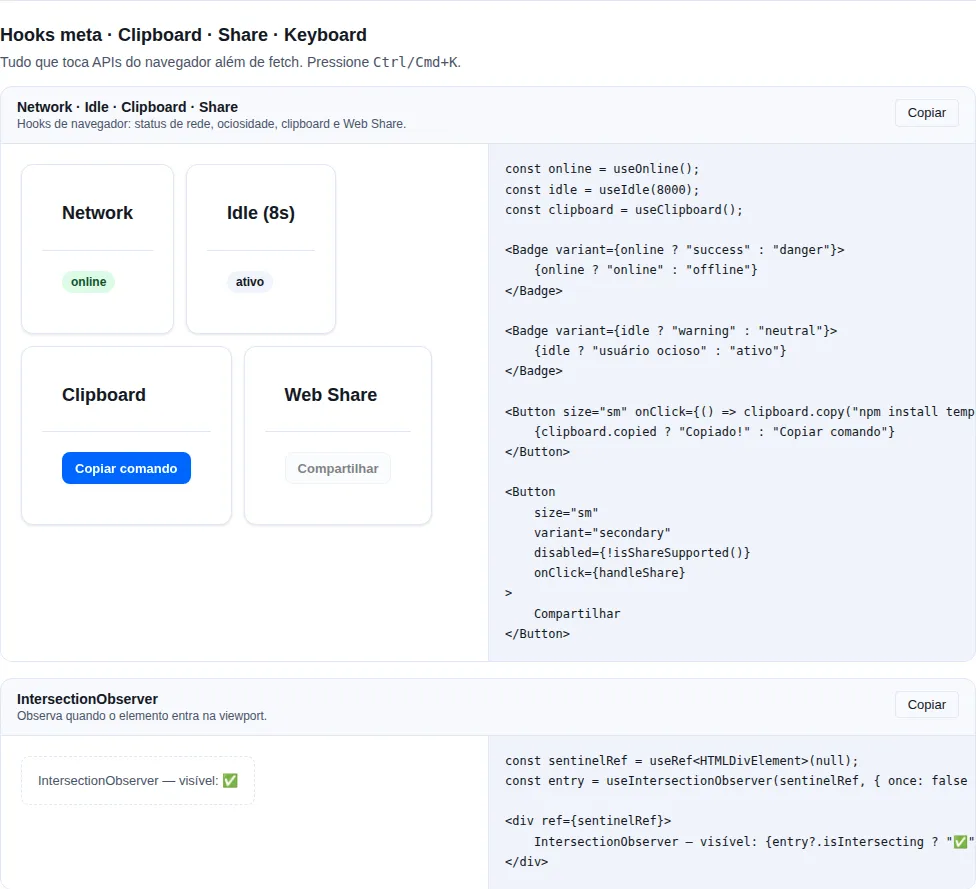
Section meta of the gallery — run it locally to interact.
Usage
import { share } from "tempest-react-sdk";

async function shareEvent() {
  const result = await share({
    title: "Tempest",
    text: "Check out this event",
    url: window.location.href,
  });

  if (result.unsupported) {
    copyLinkInstead(); // fallback: copy the link
  } else if (result.cancelled) {
    // user closed the sheet — silent, do nothing
  } else if (result.shared) {
    toast.success("Shared");
  } else if (result.error) {
    reportError(result.error); // a real error — send to telemetry
  }
}

declare function copyLinkInstead(): void;
declare function reportError(error: unknown): void;
declare const toast: { success: (message: string) => void };
The payload (SharePayload)
All fields are optional — pass the ones that make sense:
| Field | Type | Description |
|---|---|---|
title |
string |
Content title |
text |
string |
Text/description |
url |
string |
URL to share |
files |
File[] |
Files (supported only on a subset of browsers) |
The result (ShareResult)
| Field | Type | Meaning |
|---|---|---|
shared |
boolean |
navigator.share resolved OK |
unsupported |
boolean |
API missing, or the payload (files) is unsupported |
cancelled |
boolean |
User closed the sheet (AbortError) |
error |
unknown |
Another error — capture for telemetry |
cancelled is not an error
When the user closes the share sheet, it comes back as cancelled: true, not in error. Treat it as a silent no-op — showing an error toast here annoys the user.
Detecting support upfront
Use isShareSupported() to decide whether to show the "Share" button or go straight to the fallback, without waiting for the click:
import { isShareSupported, share } from "tempest-react-sdk";

export function ShareButton({ url }: { url: string }) {
  if (!isShareSupported()) {
    return <CopyLinkButton url={url} />;
  }

  return <button onClick={() => share({ title: "Tempest", url })}>Share</button>;
}

declare function CopyLinkButton(props: { url: string }): JSX.Element;
Sharing files
Pass files to share images, PDFs, etc. share() calls navigator.canShare({ files }) before trying — if the browser does not allow files (old iOS, Firefox desktop), you get unsupported: true instead of an exception:
import { share } from "tempest-react-sdk";

async function shareImage(imageFile: File) {
  const result = await share({ title: "Image", files: [imageFile] });
  if (result.unsupported) {
    // this browser does not share files — offer a download
    downloadFile(imageFile);
  }
}

declare function downloadFile(file: File): void;
Web Share API requires HTTPS and a user gesture
navigator.share only works in a secure context (HTTPS or localhost) and must be called inside a user-gesture handler (e.g. onClick). Calling it outside a click makes the browser reject — which lands in error, not unsupported.
Export a file — shareOrDownloadBlob
The most common use of files is "I generated an artifact, now hand it to the user": on mobile it opens the native share sheet, and on desktop (or wherever file sharing is unsupported) it falls back to a plain download. shareOrDownloadBlob(blob, fileName, options?) wraps exactly that flow — a companion to share() built on top of it:
import { shareOrDownloadBlob } from "tempest-react-sdk";

async function exportReport(bytes: Uint8Array<ArrayBuffer>) {
  const zip = new Blob([bytes], { type: "application/zip" });
  await shareOrDownloadBlob(zip, "report.zip");
}
Under the hood it calls share({ title, files: [file] }). If the user shared or cancelled the sheet, the function returns and nothing else happens. Otherwise (browser without file-share support) it creates an <a download>, clicks it, and revokes the object URL — the classic download.
| Parameter | Type | Description |
|---|---|---|
blob |
Blob |
The binary payload to share/download |
fileName |
string |
The file name presented to the user |
options.title |
string |
Title for the share sheet (defaults to the file name) |
Pairs with writeXlsx / ZIP generation
Generate the spreadsheet with writeXlsx, wrap it in a Blob, and hand it to shareOrDownloadBlob — a full data export, from bytes to native sheet, with no extra dependency.
Recap
share(payload)wrapsnavigator.shareand returnsShareResultinstead of throwing.shareOrDownloadBlob(blob, fileName)shares the file when it can, otherwise downloads it via<a download>.- Check in order:
unsupported→ fallback,cancelled→ silence,shared→ success,error→ telemetry. SharePayloadacceptstitle,text,url,files(all optional).isShareSupported()decides upfront between the native button and the fallback.filesis validated viacanSharebefore trying; unsupported browsers returnunsupported: true.- Requires HTTPS and a user gesture (call it from an
onClick).
See also
- Hooks —
useClipboardfor the "copy link" fallback