Overlays
Overlays are widgets that float on a z-ordered layer above the root tree.
They are not direct children of view — they live on a separate layer that the
framework merges into the scene before each render. You open them with App's
imperative methods (show_dialog, show_sheet, show_menu, toast) and close
them by calling dismiss with the returned id, or by letting the user tap the
barrier (scrim) to dismiss.
Two renderers, same payloads
Qt uses QDialog / QMenu / floating overlays; Compose uses Material3
AlertDialog / ModalBottomSheet / DropdownMenu.
Event payloads (DismissEvent, MenuSelectEvent) are identical across
both renderers.
Dialog
A modal dialog floated above the screen, with an optional title and arbitrary content.
from dataclasses import dataclass
from tempestroid import Button, Column, Dialog, Text
from tempestroid.widgets.events import DismissEvent


@dataclass
class State:
    open: bool = False


def view(app):
    state = app.state

    def open_dialog():
        dialog_id = app.show_dialog(
            Dialog(
                title="Confirm",
                children=[
                    Text(content="Do you want to continue?", key="msg"),
                    Button(
                        label="Close",
                        on_click=lambda: app.dismiss(dialog_id),
                        key="close",
                    ),
                ],
                on_dismiss=on_dismiss,
            )
        )

    def on_dismiss(event: DismissEvent) -> None:
        app.set_state(lambda s: setattr(s, "open", False))

    return Column(
        children=[
            Button(label="Open dialog", on_click=open_dialog, key="btn"),
        ]
    )


def make_state() -> State:
    return State()
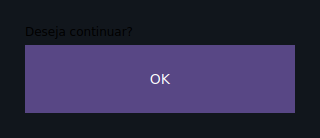
Barrier (scrim)
app.show_dialog(widget, barrier=True) (default) places a
semi-transparent scrim behind the dialog. Tapping the scrim dismisses
the overlay and triggers on_dismiss. Pass barrier=False to disable.
| Prop | Type | Default | Description |
|---|---|---|---|
title |
str \| None |
None |
Title displayed in the dialog header. |
children |
list[Widget] |
[] |
Content of the dialog body. |
on_dismiss → DismissEvent |
handler | None |
Called when the dialog is dismissed (by the user or by dismiss). |
BottomSheet
A sheet that slides up from the bottom edge of the screen.
from dataclasses import dataclass
from tempestroid import BottomSheet, Button, Column, Text
from tempestroid.widgets.events import DismissEvent


@dataclass
class State:
    pass


def view(app):
    def open_sheet():
        sheet_id = app.show_sheet(
            BottomSheet(
                children=[
                    Text(content="Quick options", key="title"),
                    Button(
                        label="Cancel",
                        on_click=lambda: app.dismiss(sheet_id),
                        key="cancel",
                    ),
                ],
                on_dismiss=on_dismiss,
            )
        )

    def on_dismiss(event: DismissEvent) -> None:
        pass

    return Column(
        children=[
            Button(label="Open sheet", on_click=open_sheet, key="btn"),
        ]
    )


def make_state() -> State:
    return State()
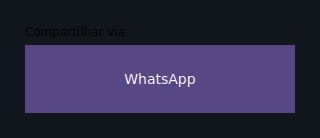
| Prop | Type | Default | Description |
|---|---|---|---|
children |
list[Widget] |
[] |
Content displayed inside the sheet. |
on_dismiss → DismissEvent |
handler | None |
Called when the sheet is dismissed. |
Menu
A list of selectable items anchored to a widget in the tree.
from dataclasses import dataclass
from tempestroid import Button, Column, Menu, MenuItem
from tempestroid.widgets.events import MenuSelectEvent


@dataclass
class State:
    chosen: str = ""


def view(app):
    state = app.state

    def open_menu():
        app.show_menu(
            Menu(
                items=[
                    MenuItem(label="Edit", value="edit"),
                    MenuItem(label="Delete", value="delete"),
                ],
                on_select=on_select,
            ),
            anchor="menu-btn",
        )

    def on_select(event: MenuSelectEvent) -> None:
        app.set_state(lambda s: setattr(s, "chosen", event.value))

    return Column(
        children=[
            Button(
                label="Menu",
                on_click=open_menu,
                key="menu-btn",
            ),
        ]
    )


def make_state() -> State:
    return State()
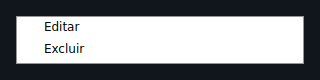
Anchor
Pass the key of the reference widget in anchor so the renderer can
position the menu close to it. The barrier parameter of show_menu
defaults to False (menus generally do not block the whole screen).
| Prop | Type | Default | Description |
|---|---|---|---|
items |
list[MenuItem] |
[] |
Menu items. Each MenuItem has label and value. |
anchor |
str \| None |
None |
key of the widget to anchor the menu to. |
on_select → MenuSelectEvent |
handler | None |
Called with the selected item (event.value, event.index). |
Popover
A floating panel anchored near a widget, dismissible by tapping outside.
from dataclasses import dataclass
from tempestroid import Button, Column, Icon, Popover, Text
from tempestroid.widgets.events import DismissEvent


@dataclass
class State:
    pass


def view(app):
    def open_popover():
        pop_id = app.show_menu(
            Popover(
                child=Text(content="Tip: use ⌘K to search.", key="tip"),
                anchor="info-btn",
                on_dismiss=lambda e: None,
            ),
            anchor="info-btn",
        )

    return Column(
        children=[
            Button(label="?", on_click=open_popover, key="info-btn"),
        ]
    )


def make_state() -> State:
    return State()
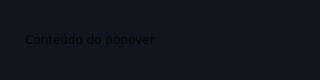
| Prop | Type | Default | Description |
|---|---|---|---|
child |
Widget \| None |
None |
Content of the floating panel. |
anchor |
str \| None |
None |
key of the reference widget for positioning. |
on_dismiss → DismissEvent |
handler | None |
Called when the popover is dismissed. |
Toast
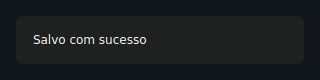
A transient message that appears briefly then auto-dismisses.
from dataclasses import dataclass
from tempestroid import Button, Column, Toast


@dataclass
class State:
    pass


def view(app):
    def show_toast():
        app.toast(
            Toast(message="Saved successfully!", duration_s=3.0),
        )

    return Column(
        children=[
            Button(label="Save", on_click=show_toast, key="save"),
        ]
    )


def make_state() -> State:
    return State()
Auto-dismiss
app.toast(widget) schedules dismiss on the event loop after
duration_s seconds (default 2.5). The returned id lets you dismiss
the toast early via app.dismiss(toast_id).
Toasts have no barrier — they do not block interaction with the background.
| Prop | Type | Default | Description |
|---|---|---|---|
message |
str |
required | Text of the message displayed. |
duration_s |
float |
2.5 |
Duration in seconds before auto-dismiss. |
Tooltip
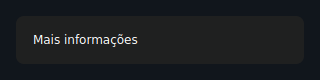
A small hint label shown next to an anchored child widget.
from dataclasses import dataclass
from tempestroid import Button, Column, Icon, Tooltip


@dataclass
class State:
    pass


def view(app):
    def open_tooltip():
        app.show_menu(
            Tooltip(
                message="Click to confirm",
                child=Icon(name="info", key="icon"),
            ),
        )

    return Column(
        children=[
            Button(label="Info", on_click=open_tooltip, key="btn"),
        ]
    )


def make_state() -> State:
    return State()
| Prop | Type | Default | Description |
|---|---|---|---|
message |
str |
required | Hint text displayed. |
child |
Widget \| None |
None |
Widget alongside which the hint is anchored. |
ActionSheet
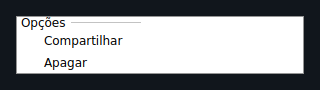
A bottom-anchored list of actions, with an optional title.
from dataclasses import dataclass
from tempestroid import ActionSheet, Button, Column, MenuItem
from tempestroid.widgets.events import MenuSelectEvent


@dataclass
class State:
    action: str = ""


def view(app):
    state = app.state

    def open_actions():
        sheet_id = app.show_sheet(
            ActionSheet(
                title="What do you want to do?",
                items=[
                    MenuItem(label="Share", value="share"),
                    MenuItem(label="Archive", value="archive"),
                    MenuItem(label="Delete", value="delete"),
                ],
                on_select=on_select,
            )
        )

    def on_select(event: MenuSelectEvent) -> None:
        app.set_state(lambda s: setattr(s, "action", event.value))

    return Column(
        children=[
            Button(label="Actions", on_click=open_actions, key="btn"),
        ]
    )


def make_state() -> State:
    return State()
| Prop | Type | Default | Description |
|---|---|---|---|
title |
str \| None |
None |
Optional title displayed above the items. |
items |
list[MenuItem] |
[] |
Available actions. Each MenuItem has label and value. |
on_select → MenuSelectEvent |
handler | None |
Called with the chosen action (event.value, event.index). |
Recap
- Overlays live on a separate z-ordered layer — they are not children of
view. - Open with
app.show_dialog/app.show_sheet/app.show_menu/app.toast; close withapp.dismiss(overlay_id). barrier=True(default for dialogs and sheets) displays a semi-transparent scrim; tapping it dismisses the overlay and triggerson_dismiss.- Toasts auto-dismiss after
duration_sseconds — no barrier, no screen blocking. - Payloads (
DismissEvent,MenuSelectEvent) are identical on Qt and Compose.
Next steps
➡️ Style your overlays with Styles, understand typed events in Events, or explore complete apps in the Example gallery.