Navigation
A mobile app has more than one screen. tempestroid models this with a route
stack owned by App: the view function reads app.nav.top to decide which
widget tree to build, so switching screens is just the view returning a
different tree — the reconciler already knows how to diff it. No new patch kind
is introduced. The Android Back button (or Esc in the Qt simulator) calls
app.pop automatically.
Always import from the package level
Navigator
A navigation-stack host: renders the screen at the top of the stack and plays a transition animation whenever the route changes.
from dataclasses import dataclass

from tempestroid import (
    Button,
    Column,
    Navigator,
    Route,
    Style,
    Text,
)
from tempestroid.core.state import App


@dataclass
class State:
    pass


def home_screen(app: App[State]) -> Navigator:
    """Home screen with a button that navigates to details."""

    def go_details() -> None:
        app.push(Route(name="/details", params={"id": 42}))

    return Navigator(
        transition="slide",
        depth=len(app.nav.stack),
        child=Column(
            children=[
                Text(content="Home", key="title"),
                Button(label="View details", on_click=go_details, key="btn"),
            ],
        ),
    )


def details_screen(app: App[State]) -> Navigator:
    """Details screen with a back button."""

    def go_back() -> None:
        app.pop()

    item_id = app.nav.top.params.get("id")
    return Navigator(
        transition="slide",
        depth=len(app.nav.stack),
        child=Column(
            children=[
                Text(content=f"Item {item_id} details", key="title"),
                Button(label="Back", on_click=go_back, key="back"),
            ],
        ),
    )


def view(app: App[State]) -> Navigator:
    """Pick the screen based on the route at the top of the stack."""
    if app.nav.top.name == "/details":
        return details_screen(app)
    return home_screen(app)
Props
| Prop | Type | Default | Description |
|---|---|---|---|
child |
Widget |
— (required) | The widget tree for the current screen. |
transition |
str |
"slide" |
Transition animation hint for renderers: "slide", "fade", or "none". |
depth |
int |
0 |
Current stack depth; renderers use it to infer animation direction (forward vs. back). |
Transitions are a hint, not a contract
transition and depth tell the renderers how to animate the screen
swap, but they are not part of the content diff. Qt animates with
QPropertyAnimation; Compose uses AnimatedContent. Set "none" to
disable animation.
TabView
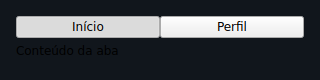
A tabbed host: renders a tab strip plus the active tab's content. The active
prop controls which tab is selected; on_change is called when the user taps
another tab.
from dataclasses import dataclass

from tempestroid import (
    Column,
    RouteChangeEvent,
    TabView,
    Text,
)
from tempestroid.core.state import App


@dataclass
class State:
    tab: int = 0


def view(app: App[State]) -> TabView:
    """A three-tab application."""

    def on_tab_change(event: RouteChangeEvent) -> None:
        app.set_state(lambda s: setattr(s, "tab", event.params["index"]))

    screens = [
        Column(children=[Text(content="Home page", key="h")], key="home"),
        Column(children=[Text(content="Search page", key="s")], key="search"),
        Column(children=[Text(content="Profile page", key="p")], key="profile"),
    ]

    return TabView(
        tabs=["Home", "Search", "Profile"],
        active=app.state.tab,
        child=screens[app.state.tab],
        on_change=on_tab_change,
    )
Props
| Prop | Type | Default | Description |
|---|---|---|---|
tabs |
list[str] |
— (required) | Tab labels, in order. |
active |
int |
0 |
Index of the active tab (zero-based). |
child |
Widget |
— (required) | Content for the active tab. |
on_change |
handler → RouteChangeEvent |
None |
Called when the user selects another tab. The new tab index is in event.params["index"]. |
TabBar
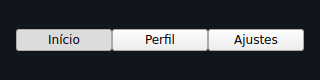
A standalone tab strip: only the row of selectable labels, with no content
management. Use it when you need full layout control — for example, inside a
Scaffold or above a Navigator.
from dataclasses import dataclass

from tempestroid import (
    Column,
    RouteChangeEvent,
    TabBar,
    Text,
)
from tempestroid.core.state import App


@dataclass
class State:
    tab: int = 0


def view(app: App[State]) -> Column:
    """TabBar decoupled from content."""

    def on_tab_change(event: RouteChangeEvent) -> None:
        app.set_state(lambda s: setattr(s, "tab", event.params["index"]))

    content = [
        Text(content="Tab A content", key="a"),
        Text(content="Tab B content", key="b"),
        Text(content="Tab C content", key="c"),
    ][app.state.tab]

    return Column(
        children=[
            TabBar(
                tabs=["Tab A", "Tab B", "Tab C"],
                active=app.state.tab,
                on_change=on_tab_change,
                key="bar",
            ),
            content,
        ],
    )
Props
| Prop | Type | Default | Description |
|---|---|---|---|
tabs |
list[str] |
— (required) | Tab labels. |
active |
int |
0 |
Index of the selected tab (zero-based). |
on_change |
handler → RouteChangeEvent |
None |
Called when a tab is selected. The index is in event.params["index"]. |
TabBar vs. TabView
TabBar emits the same RouteChangeEvent with params["index"] as
TabView — the difference is purely structural: TabView also renders its
content inline, while TabBar is a standalone strip you position freely.
RouteDrawer
A drawer-as-route host: main content with a slide-over side panel. open
controls whether the drawer is visible; on_change is emitted when the user
closes the drawer by swiping or tapping outside it.
from dataclasses import dataclass

from tempestroid import (
    Button,
    Column,
    RouteChangeEvent,
    RouteDrawer,
    Text,
)
from tempestroid.core.state import App


@dataclass
class State:
    drawer_open: bool = False


def view(app: App[State]) -> RouteDrawer:
    """Main screen with a side navigation drawer."""

    def open_drawer() -> None:
        app.set_state(lambda s: setattr(s, "drawer_open", True))

    def on_drawer_change(event: RouteChangeEvent) -> None:
        # The renderer emits this event when the drawer is closed by gesture or outside tap.
        app.set_state(lambda s: setattr(s, "drawer_open", False))

    drawer_content = Column(
        children=[
            Text(content="Menu", key="title"),
            Button(label="Home", on_click=lambda: None, key="home"),
            Button(label="Settings", on_click=lambda: None, key="settings"),
        ],
    )

    main_content = Column(
        children=[
            Text(content="Main content", key="main"),
            Button(label="Open menu", on_click=open_drawer, key="open"),
        ],
    )

    return RouteDrawer(
        child=main_content,
        drawer=drawer_content,
        open=app.state.drawer_open,
        on_change=on_drawer_change,
    )
Props
| Prop | Type | Default | Description |
|---|---|---|---|
child |
Widget |
— (required) | Main content (always visible). |
drawer |
Widget |
— (required) | Content of the sliding side panel. |
open |
bool |
False |
If True, the drawer is open and visible. |
on_change |
handler → RouteChangeEvent |
None |
Called when the drawer is closed by the user (swipe gesture or tap outside). |
Recap
- Navigation is not a new patch kind — it is just the
viewreadingapp.nav.topand returning a different tree for each route. - Use
app.push(Route(name="..."))to go forward,app.pop()to go back,app.replace(...)to swap the current route without changing stack depth, andapp.reset([...])to replace the entire stack (for example, on a deep link). Navigatorrenders the current screen with a transition animation;TabViewandTabBarmanage tabs;RouteDraweroffers a lateral drawer as a route.TabViewandTabBaremitRouteChangeEventwithparams["index"]when the active tab changes.- Both renderers support all of these widgets. The Android Back button maps to
app.pop;Escin the Qt simulator does the same.
Next steps
➡️ Learn about Overlays for dialogs and menus, or consult the
Events reference to understand RouteChangeEvent in
detail.