Gesture widgets
Gesture widgets are single-child wrappers (or a child-list wrapper in the case
of ReorderableList) that detect touch interactions — pan, drag, pinch, double
tap, swipe, and reorder — and emit a typed event that the handler turns into
state. They compose over the existing layout primitives: just wrap any widget
to add gesture behaviour without changing its appearance.
All widgets in this family are supported by both renderers — the Qt desktop simulator and Compose on device — with the same API; swipe-to-delete and reorder were verified on both renderers, and pinch-zoom was verified on device.
GestureDetector
Single-child wrapper that reports a tap, double tap, long press, and swipe directly over its child's hit area.
from tempestroid import (
    Container,
    GestureDetector,
    LongPressEvent,
    Style,
    SwipeEvent,
    TapEvent,
    Text,
)


async def on_tap(e: TapEvent) -> None:
    app.set_state(lambda s: setattr(s, "msg", "tapped"))


async def on_long(e: LongPressEvent) -> None:
    app.set_state(lambda s: setattr(s, "msg", "long press"))


async def on_swipe(e: SwipeEvent) -> None:
    app.set_state(lambda s: setattr(s, "msg", f"swipe {e.direction}"))


GestureDetector(
    on_tap=on_tap,
    on_long_press=on_long,
    on_swipe=on_swipe,
    child=Container(
        style=Style(padding=24.0, background="#E3F2FD", border_radius=12.0),
        child=Text(content="Tap or swipe here", key="label"),
    ),
    key="detector",
)
| Prop | Type | Default | Description |
|---|---|---|---|
child |
Widget \| None |
None |
Single child over which gestures are detected. |
on_tap |
handler → TapEvent |
None |
Single tap. TapEvent has x: float \| None and y: float \| None with the touch position. |
on_double_tap |
handler → TapEvent |
None |
Double tap. Emits the same TapEvent. |
on_long_press |
handler → LongPressEvent |
None |
Sustained press. LongPressEvent has x: float \| None and y: float \| None. |
on_swipe |
handler → SwipeEvent |
None |
Swipe in any direction. SwipeEvent has direction: str ("left", "right", "up", "down"). |
PanHandler
Single-child wrapper that reports a continuous pan gesture (drag without releasing), useful for moving objects on screen or building custom scroll behaviour.
from tempestroid import Container, PanEvent, PanHandler, Style, Text


async def on_pan(e: PanEvent) -> None:
    app.set_state(
        lambda s: setattr(s, "offset", (s.offset[0] + e.delta_x, s.offset[1] + e.delta_y))
    )


PanHandler(
    on_pan=on_pan,
    child=Container(
        style=Style(padding=20.0, background="#FFF9C4", border_radius=8.0),
        child=Text(content="Drag me", key="lbl"),
    ),
    key="pan",
)
| Prop | Type | Default | Description |
|---|---|---|---|
child |
Widget \| None |
None |
Single child to monitor. |
on_pan |
handler → PanEvent |
None |
Called continuously during the pan. PanEvent has delta_x: float, delta_y: float (displacement since the last event) and state: str ("start", "update", "end"). |
ScaleHandler
Single-child wrapper that reports pinch-to-zoom and rotation, plus a double tap as a zoom shortcut.
from tempestroid import Container, ScaleEvent, ScaleHandler, Style, TapEvent, Text


async def on_scale(e: ScaleEvent) -> None:
    app.set_state(lambda s: setattr(s, "zoom", s.zoom * e.scale))


async def on_double_tap(e: TapEvent) -> None:
    app.set_state(lambda s: setattr(s, "zoom", 1.0))


ScaleHandler(
    on_scale=on_scale,
    on_double_tap=on_double_tap,
    child=Container(
        style=Style(padding=32.0, background="#F3E5F5", border_radius=8.0),
        child=Text(content="Pinch to zoom", key="lbl"),
    ),
    key="scale",
)

| Prop | Type | Default | Description |
|---|---|---|---|
child |
Widget \| None |
None |
Single child to monitor. |
on_scale |
handler → ScaleEvent |
None |
Called during the pinch gesture. ScaleEvent has scale: float (cumulative factor), rotation: float (degrees) and state: str ("start", "update", "end"). |
on_double_tap |
handler → TapEvent |
None |
Double tap over the child's area (convenient for resetting zoom). |
DoubleTapHandler
Single-child wrapper focused exclusively on double tap — lighter than
GestureDetector when no other gestures are needed.
from tempestroid import Container, DoubleTapHandler, Style, TapEvent, Text


async def on_double(e: TapEvent) -> None:
    app.set_state(lambda s: setattr(s, "liked", not s.liked))


DoubleTapHandler(
    on_double_tap=on_double,
    child=Container(
        style=Style(padding=16.0, background="#FCE4EC", border_radius=8.0),
        child=Text(content="Double tap to like", key="lbl"),
    ),
    key="dtap",
)
| Prop | Type | Default | Description |
|---|---|---|---|
child |
Widget \| None |
None |
Single child to monitor. |
on_double_tap |
handler → TapEvent |
None |
Rapid double tap. TapEvent has x: float \| None and y: float \| None. |
Draggable
Makes the child draggable. When a drag starts, the runtime carries drag_data
which will be delivered to the DragTarget on drop.
from tempestroid import Container, DragEvent, Draggable, Style, Text


async def on_drag(e: DragEvent) -> None:
    app.set_state(lambda s: setattr(s, "dragging", e.state == "start"))


Draggable(
    drag_data="card-1",
    on_drag=on_drag,
    child=Container(
        style=Style(padding=16.0, background="#E8F5E9", border_radius=8.0),
        child=Text(content="Drag me to the target", key="lbl"),
    ),
    key="drag",
)
| Prop | Type | Default | Description |
|---|---|---|---|
child |
Widget \| None |
None |
Single child that will be dragged. |
drag_data |
str |
"" |
Opaque string delivered to DragTarget.on_drop as DragEvent.data. |
on_drag |
handler → DragEvent |
None |
Called on drag state changes. DragEvent has data: str and state: str ("start", "update", "end"). |
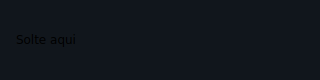
DragTarget
Drop zone that accepts a Draggable released over it.
from tempestroid import Container, DragEvent, DragTarget, Style, Text


async def on_drop(e: DragEvent) -> None:
    app.set_state(lambda s: s.items.append(e.data))


DragTarget(
    on_drop=on_drop,
    child=Container(
        style=Style(
            padding=24.0,
            background="#FFF3E0",
            border_radius=8.0,
        ),
        child=Text(content="Drop here", key="lbl"),
    ),
    key="target",
)
| Prop | Type | Default | Description |
|---|---|---|---|
child |
Widget \| None |
None |
Single child representing the drop area. |
on_drop |
handler → DragEvent |
None |
Called when a Draggable is released over this area. DragEvent has data: str (the Draggable's drag_data) and state: str ("end"). |
Combining Draggable and DragTarget
Use drag_data to identify which item was dropped. on_drop receives
DragEvent.data with that value, so you can update state without relying
on global variables.
Dismissible
Makes the child dismissible with a lateral swipe (swipe-to-delete). The
on_dismiss handler is called when the swipe is completed; remove the item
from state so the reconciler discards it from the tree.
from tempestroid import Column, DismissEvent, Dismissible, Style, SwipeDirection, Text


async def on_dismiss(e: DismissEvent) -> None:
    app.set_state(lambda s: s.items.remove(item_id))


Dismissible(
    direction=SwipeDirection.LEFT,
    on_dismiss=on_dismiss,
    child=Column(
        style=Style(padding=12.0, background="#FAFAFA"),
        children=[
            Text(content="Swipe to remove", key="lbl"),
        ],
    ),
    key=f"item-{item_id}",
)

| Prop | Type | Default | Description |
|---|---|---|---|
child |
Widget \| None |
None |
Single child that can be dismissed. |
direction |
SwipeDirection |
SwipeDirection.LEFT |
Swipe direction that triggers dismissal. Values: LEFT, RIGHT. |
on_dismiss |
handler → DismissEvent |
None |
Called when the swipe completes. DismissEvent has direction: str. Remove the item from state so the reconciler emits a Remove patch. |
You must remove the item from state
Dismissible does not remove the widget from the tree on its own —
it only notifies. Call app.set_state inside on_dismiss to remove the
item from the list; the reconciler will then emit the corresponding
Remove patch.
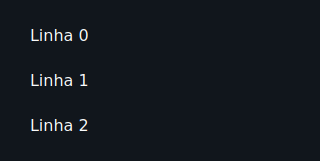
ReorderableList
Vertical list whose items can be dragged into a new order. on_reorder
delivers the source and destination indices; the app rearranges the list in
state and rebuilds the tree.
from tempestroid import ReorderEvent, ReorderableList, Text


async def on_reorder(e: ReorderEvent) -> None:
    def move(s: State) -> None:
        item = s.items.pop(e.old_index)
        s.items.insert(e.new_index, item)

    app.set_state(move)


ReorderableList(
    on_reorder=on_reorder,
    children=[
        Text(content=item, key=item_id)
        for item_id, item in enumerate(app.state.items)
    ],
)
| Prop | Type | Default | Description |
|---|---|---|---|
children |
list[Widget] |
[] |
List items. Use a stable key on each child so the reconciler emits a Reorder patch instead of recreating widgets. |
on_reorder |
handler → ReorderEvent |
None |
Called when an item is released at its new position. ReorderEvent has old_index: int and new_index: int. |
Stable keys are essential
Give each child of ReorderableList a unique, stable key. Without keys,
the reconciler cannot emit an efficient Reorder patch and will recreate
items unnecessarily.
InteractiveViewer
Single-child container that lets the user pan and zoom (pinch + drag) over its content, with configurable scale limits.
from tempestroid import Container, Image, InteractiveViewer, ScaleEvent, Style


async def on_interaction(e: ScaleEvent) -> None:
    app.set_state(lambda s: setattr(s, "zoom", e.scale))


InteractiveViewer(
    min_scale=0.5,
    max_scale=4.0,
    on_interaction=on_interaction,
    child=Image(
        src="https://example.com/map.jpg",
        alt="Interactive map",
        key="map",
    ),
    key="viewer",
)

| Prop | Type | Default | Description |
|---|---|---|---|
child |
Widget \| None |
None |
Single child over which pan and zoom are applied. |
min_scale |
float |
0.5 |
Minimum allowed scale factor. |
max_scale |
float |
4.0 |
Maximum allowed scale factor. |
on_interaction |
handler → ScaleEvent |
None |
Called during pan and zoom. ScaleEvent has scale: float, rotation: float and state: str. |
Pinch-zoom verified on device
The real pinch gesture was verified on an arm64 device (Xiaomi 23053RN02A,
Android 15). In the Qt simulator, zoom is simulated with scroll wheel +
Ctrl.
Recap
GestureDetector— multi-gesture wrapper: tap, double tap, long press, and swipe in any direction.PanHandler— continuous pan withdelta_x/delta_yon every gesture frame.ScaleHandler— pinch-to-zoom and rotation viaScaleEvent; double tap as a zoom shortcut.DoubleTapHandler— isolated double tap, lighter thanGestureDetectorwhen that is the only gesture needed.Draggable/DragTarget— drag-and-drop pair:drag_dataidentifies the item;DragEvent.datadelivers it to the target.Dismissible— swipe-to-delete; always remove the item from state inon_dismissso the reconciler emits aRemovepatch.ReorderableList— drag-to-reorder;ReorderEventprovidesold_indexandnew_index; use a stablekeyon every child.InteractiveViewer— pan + zoom on a single child withmin_scale/max_scalelimits; pinch-zoom verified on device.
Next steps: explore overlays and feedback on the Overlays page, see advanced inputs on Inputs, or browse complete apps in the Examples gallery.