Animation
The tempestroid animation framework lives in the renderer-agnostic core: an
AnimationController advances a normalized value (0.0–1.0) on the App's
frame clock, a Tween interpolates a typed value from that progress, and the
view reads the interpolated result to build a tree whose styles are already at
their per-frame target. The widgets on this page — Animated, AnimatedList,
Hero, Shimmer, and Skeleton — are the declarative surface that consumes
those drivers.
Deterministic clock in tests
AnimationController accepts an injectable time_source, so tests pass a
deterministic clock and advance frames manually — no sleep, no flakiness.
The same clock crosses the bridge via FRAME_TOKEN so device animations are
real.
Two renderers, one core
Interpolation happens here, not in the renderers — Qt and Compose only ever
receive final props for the current frame. Qt applies the interpolated value
directly; Compose drives its native animation engine with the same Curve
value, preserving visual parity.
Animated
Wraps a child and interpolates its Style every frame, between style_begin
and style_end, driven by an AnimationController.
from tempestroid import (
    Animated,
    AnimationController,
    Button,
    Column,
    Color,
    Curve,
    Style,
    Text,
    Tween,
)


def make_state():
    return {"expanded": False}


ctrl = AnimationController(duration_s=0.4, curve=Curve.EASE_IN_OUT)
opacity_tween = Tween(begin=0.0, end=1.0)


def view(app):
    state = app.state

    def on_toggle():
        if state["expanded"]:
            ctrl.reverse()
        else:
            ctrl.forward()
        app.set_state(lambda s: {**s, "expanded": not s["expanded"]})

    current_opacity = opacity_tween.at(ctrl.value)

    return Column(
        children=[
            Button(label="Toggle", on_click=on_toggle, key="btn"),
            Animated(
                controller=ctrl,
                style_begin=Style(opacity=0.0, background=Color.from_hex("#e0e0e0")),
                style_end=Style(opacity=1.0, background=Color.from_hex("#4caf50")),
                child=Text(
                    content=f"Opacity: {current_opacity:.2f}",
                    key="label",
                ),
                key="box",
            ),
        ],
        key="root",
    )
Props
| Prop | Type | Default | Description |
|---|---|---|---|
child |
Widget |
— (required) | The child widget that receives the interpolated style. |
controller |
AnimationController \| None |
None |
The controller that advances the progress from 0.0 to 1.0. |
style_begin |
Style \| None |
None |
Style applied when controller.value == 0.0. |
style_end |
Style \| None |
None |
Style applied when controller.value == 1.0. |
No controller
When controller is None the child is rendered with style_begin (or
without extra style if that is also None) — useful for conditionally
disabling the animation without removing the widget from the tree.
AnimatedList
A flex container that animates children as they enter and leave. Adding or removing an item slides and fades it automatically.
from tempestroid import AnimatedList, Button, Column, Curve, FlexDirection, Text


def make_state():
    return {"items": ["Apple", "Banana", "Cherry"]}


def view(app):
    state = app.state

    def add_item():
        app.set_state(
            lambda s: {**s, "items": [*s["items"], f"Item {len(s['items']) + 1}"]}
        )

    def remove_last():
        app.set_state(lambda s: {**s, "items": s["items"][:-1]})

    return Column(
        children=[
            Button(label="Add", on_click=add_item, key="add"),
            Button(label="Remove last", on_click=remove_last, key="rm"),
            AnimatedList(
                direction=FlexDirection.COLUMN,
                enter_duration_ms=350,
                exit_duration_ms=250,
                enter_curve=Curve.EASE_OUT,
                exit_curve=Curve.EASE_IN,
                children=[
                    Text(content=item, key=item) for item in state["items"]
                ],
                key="list",
            ),
        ],
        key="root",
    )
Props
| Prop | Type | Default | Description |
|---|---|---|---|
children |
list[Widget] |
[] |
List children; use a stable key so the reconciler identifies entries and exits. |
direction |
FlexDirection |
COLUMN |
Container axis (COLUMN or ROW). |
enter_duration_ms |
int |
300 |
Enter animation duration in milliseconds. |
exit_duration_ms |
int |
300 |
Exit animation duration in milliseconds. |
enter_curve |
Curve |
EASE_OUT |
Easing curve for the enter animation. |
exit_curve |
Curve |
EASE_IN |
Easing curve for the exit animation. |
Stable keys are required
The reconciler identifies enters and exits by each child's key.
Without key, any list change looks like a full replacement — no
enter/exit animation fires.
Hero
Tags a single child with a shared transition identifier. When the Navigator
navigates between two screens that both have a Hero with the same hero_tag,
the framework interpolates the element's position and size between the two
routes — the so-called shared-element transition.
from tempestroid import Button, Column, Hero, Image, Navigator, Route, Text


def home_view(app):
    def go_detail():
        app.push("detail")

    return Column(
        children=[
            Hero(
                hero_tag="cover-art",
                child=Image(src="https://example.com/cover.jpg", key="img"),
                key="hero-home",
            ),
            Button(label="See details", on_click=go_detail, key="btn"),
        ],
        key="root",
    )


def detail_view(app):
    return Column(
        children=[
            Hero(
                hero_tag="cover-art",
                child=Image(src="https://example.com/cover.jpg", key="img"),
                key="hero-detail",
            ),
            Text(content="Album details", key="title"),
        ],
        key="root",
    )


def make_state():
    return {}


def view(app):
    return Navigator(
        routes={
            "home": Route(builder=home_view),
            "detail": Route(builder=detail_view),
        },
        initial_route="home",
        key="nav",
    )
Props
| Prop | Type | Default | Description |
|---|---|---|---|
hero_tag |
str |
— (required) | Unique identifier shared between the two screens. |
child |
Widget |
— (required) | The widget that will be "flown" between routes. |
Device availability
In the Qt simulator, Hero applies a QPropertyAnimation on position/size.
On Compose (device), the matching Hero pair triggers the Material3 native
SharedTransitionLayout.
Shimmer
A loading placeholder that sweeps a gradient highlight over a child while real content is still loading. Use it to signal that data is being fetched without an intrusive spinner.
from tempestroid import Color, Column, Container, Shimmer, Style, Text


def make_state():
    return {"loading": True, "name": ""}


def view(app):
    state = app.state

    if state["loading"]:
        return Shimmer(
            base_color=Color.from_hex("#e0e0e0"),
            highlight_color=Color.from_hex("#f5f5f5"),
            duration_ms=1400,
            child=Container(
                style=Style(width=200.0, height=24.0),
                key="placeholder",
            ),
            key="shimmer",
        )

    return Column(
        children=[Text(content=state["name"], key="name")],
        key="root",
    )
Props
| Prop | Type | Default | Description |
|---|---|---|---|
child |
Widget |
— (required) | The widget over which the shimmer effect is applied. |
base_color |
Color |
light grey | Background color of the shimmer area. |
highlight_color |
Color |
white | The highlight color that sweeps across the area. |
duration_ms |
int |
1200 |
Duration of one full sweep cycle in milliseconds. |
Skeleton
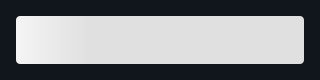
A childless rectangular shimmer placeholder — the simplest form of shimmer
for text blocks or images not yet loaded. It is essentially a Shimmer
without an explicit child, with configurable rounded corners.
from tempestroid import Column, Skeleton, Text


def make_state():
    return {"loaded": False, "title": "", "subtitle": ""}


def view(app):
    state = app.state

    if not state["loaded"]:
        return Column(
            children=[
                Skeleton(width=240.0, height=20.0, radius=4.0, key="sk-title"),
                Skeleton(width=160.0, height=16.0, radius=4.0, key="sk-sub"),
            ],
            key="root",
        )

    return Column(
        children=[
            Text(content=state["title"], key="title"),
            Text(content=state["subtitle"], key="sub"),
        ],
        key="root",
    )
Props
| Prop | Type | Default | Description |
|---|---|---|---|
width |
float \| None |
None |
Fixed block width in dp; None expands along the main axis. |
height |
float \| None |
None |
Fixed block height in dp; None expands along the cross axis. |
radius |
float |
4.0 |
Corner radius in dp. |
base_color |
Color |
light grey | Background color of the block. |
highlight_color |
Color |
white | The highlight color that sweeps across the block. |
duration_ms |
int |
1200 |
Duration of one full sweep cycle in milliseconds. |
Recap
- The driver (
AnimationController+Tween+Spring) lives in the core and is renderer-agnostic — it interpolates values before the tree is built. Animatedconsumes a controller and two styles to create per-frame property transitions.AnimatedListanimates child enter/exit automatically — give every child a stablekey.Herotags an element for a shared-element transition betweenNavigatorroutes.ShimmerandSkeletonare loading placeholders;Skeletonis simpler (no child),Shimmerwraps any widget.- Both renderers animate these widgets — Qt interpolates in the core; Compose drives the native engine with the same curve parameters.
Next steps
➡️ Compose widgets with Layout, understand the typed Events, or explore complete apps in the Examples gallery.